
Personal project · 2026
The Color Museum
An endless gallery in the browser. It began as a way to stand inside a color, and grew into a museum.
Visit The Color Museum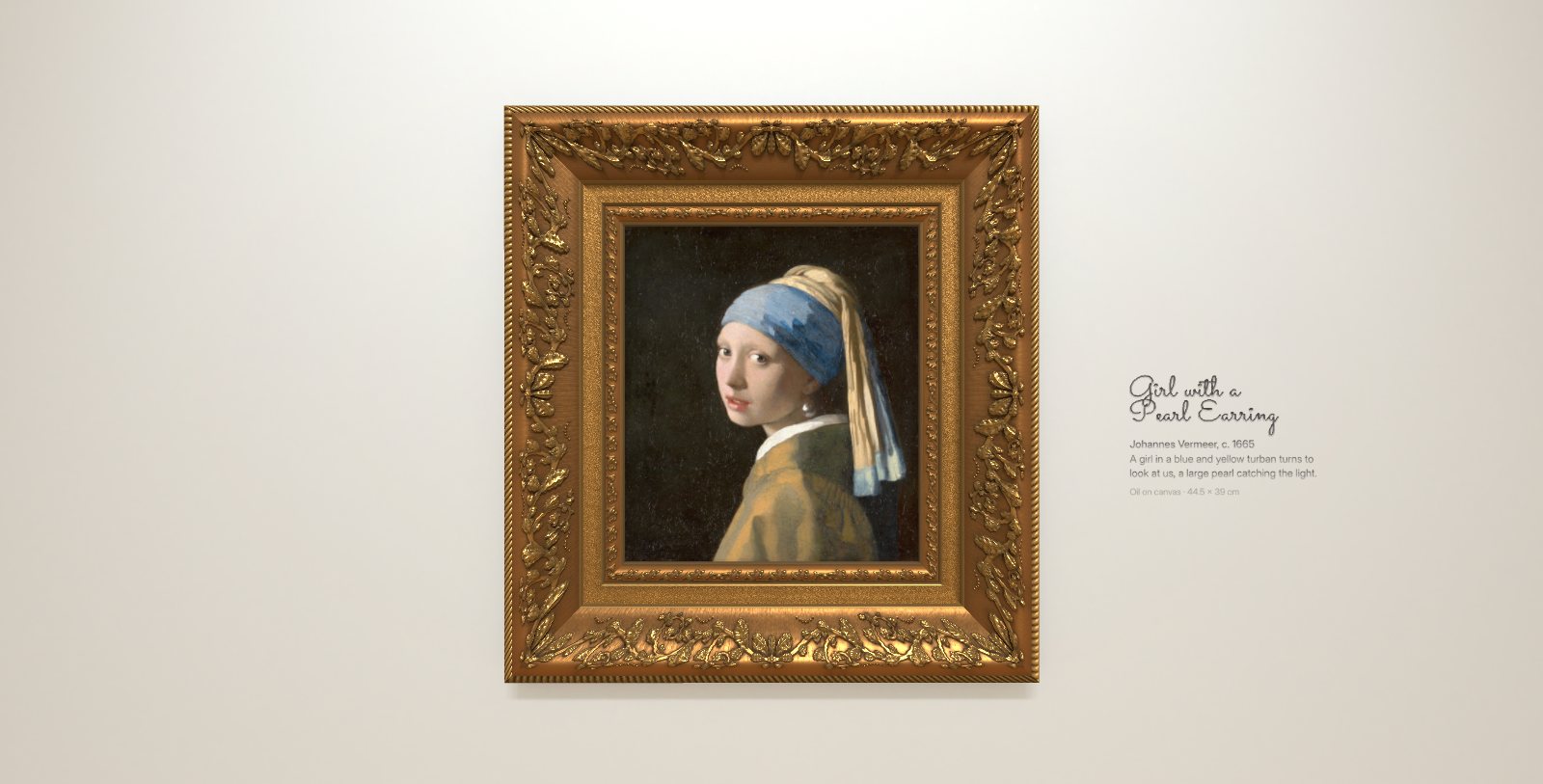
Where it started
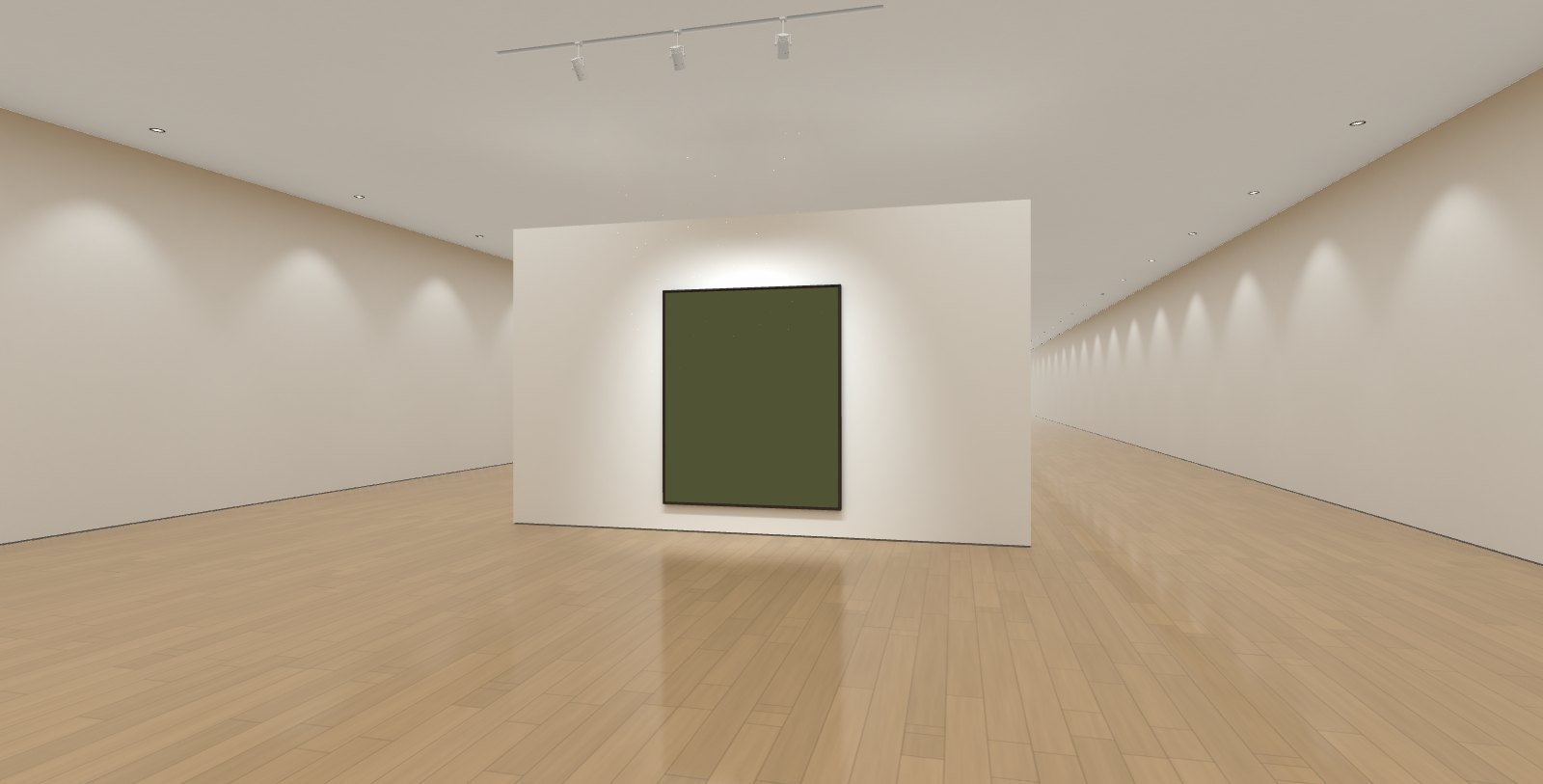
I wanted to be immersed in a color. Not a swatch or a hex code on a screen, but a color with room around it, the way a Rothko fills your view when you stand close. So the first version was a hall of single colors: each wall held one framed canvas of pure color, hung low as Rothko asked, and the hall went on forever. After the last color the first came round again.
Becoming a museum
A color only looks right in the right room, so the room came next. The light follows MoMA’s Rothko room, gallery 403, baked in Blender Cycles: track heads aimed at each work about 31° off vertical, with soft beams and a little drifting dust, and broad soft light from the ceiling. The side walls are lit evenly, and only the works are lit live, calibrated so a color renders exactly at its value. The floor is satin oak with a soft reflection of the room.
Then the details a museum is made of. The light fittings are modelled on MoMA’s. The paintings hang in a carved gilt frame modelled on the Mauritshuis frame of Girl with a Pearl Earring, and it meets the painting with no gap. Four more frames are a tap away: a Louis XIV frame after Berain, a 17th-century Dutch ebony ripple frame, and modern floaters in ebonised wood or walnut. Canvases are linen with a faint sheen in the weave. Each work’s name is written on the wall beside it as you arrive, in a single-line script laid down in writing order, and the text looks cut into the plaster.
Once the room felt real, colors alone weren’t enough for it, and the paintings arrived.
The paintings
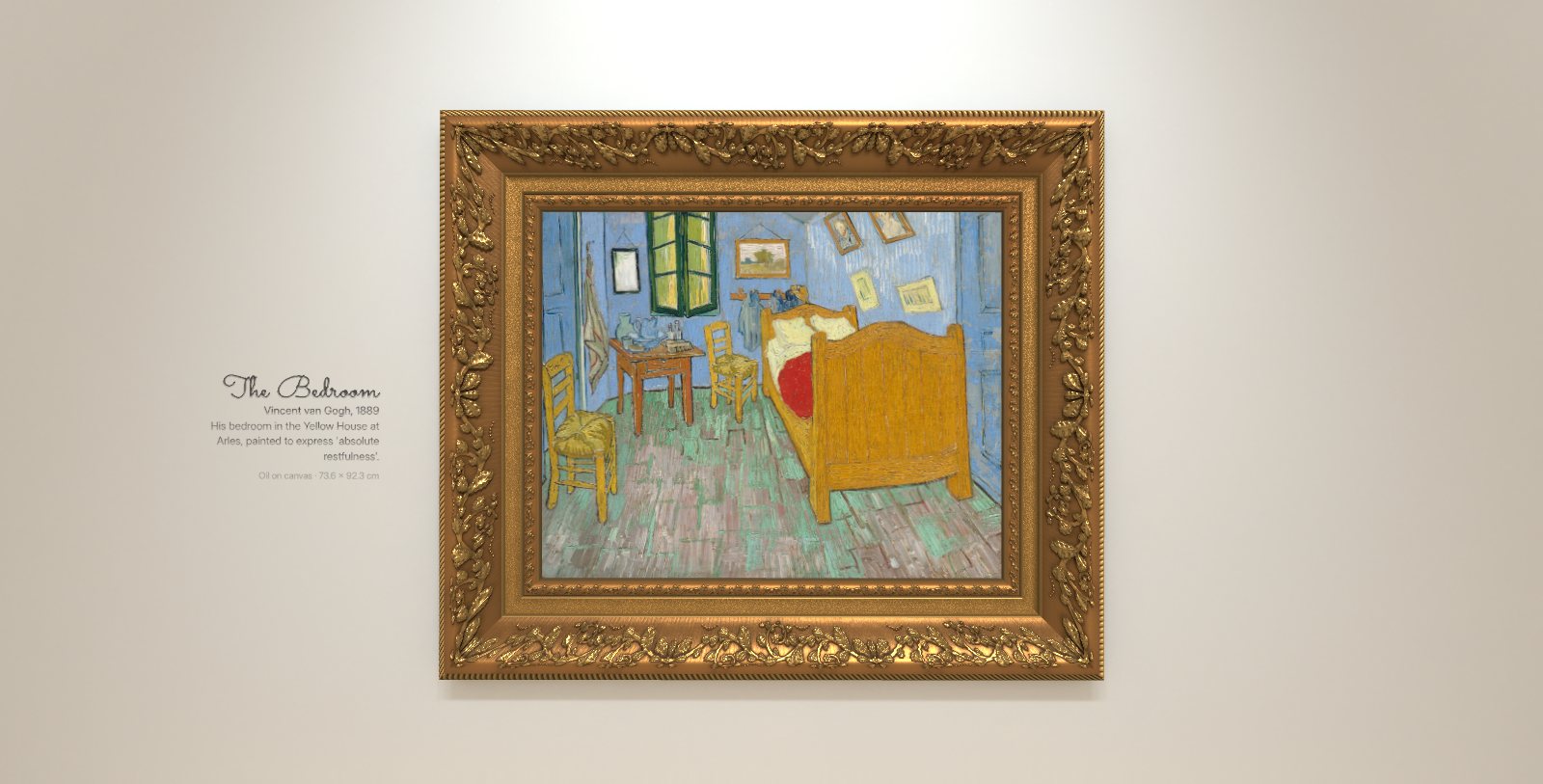
The museum now opens on a hundred of the world’s most famous paintings, and ten more of Monet’s, grouped by artist and starting with Girl with a Pearl Earring. All are in the public domain, so painters still in copyright, like Picasso and Dalí, are left out. Each hangs at its true size, so a small portrait is seen from closer than a large landscape, and the hall grew taller so that even The Night Watch hangs full size. Only five works are too big for the wall: The Last Supper, The Last Judgment, The School of Athens, The Raft of the Medusa and The Burial of the Count of Orgaz hang scaled down, and their label says by how much. Works that aren’t rectangles, like the round Doni Tondo or the arched top of Ophelia, are framed the way museums frame them, with the frame’s own gilt filling the corners.
Beside each one, the wall carries its title, the artist and year, a line about the work, and its medium and size.
The colors are still there. Double-click a painting and every wall turns back into a color field; double-click again for the paintings. The color hall opens with 47 colors from Starship launch photographs, from four palettes by Meditations in Color (made by @Pixel0Symphony), credited on screen as you stand at them, followed by the original sixteen.
Every work has a story
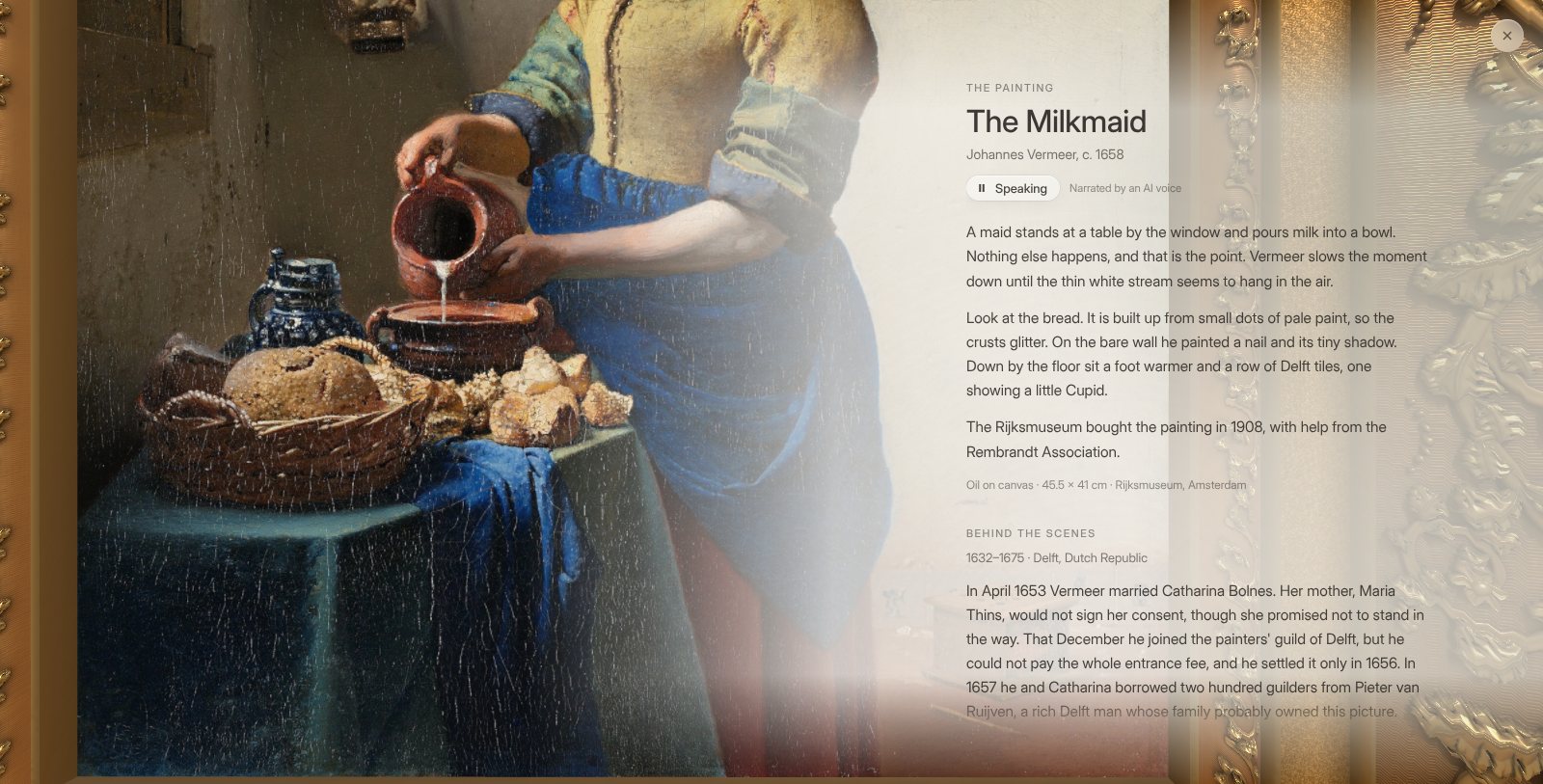
Tap a painting and you walk to it, and its story opens in a soft veil beside it: what to look for in the painting, then what went on behind the scenes as it was made. Every behind-the-scenes fact rests on two sources, and the myths that didn’t hold up were left out.
A narrator reads each story aloud. It’s an AI voice, Peter Baker’s, from a licensed voice library, and the museum says so beside it. The music dims under the voice. Close the story and the voice carries on; walk on to the next work and it fades away, and the music comes back.
Looking closer
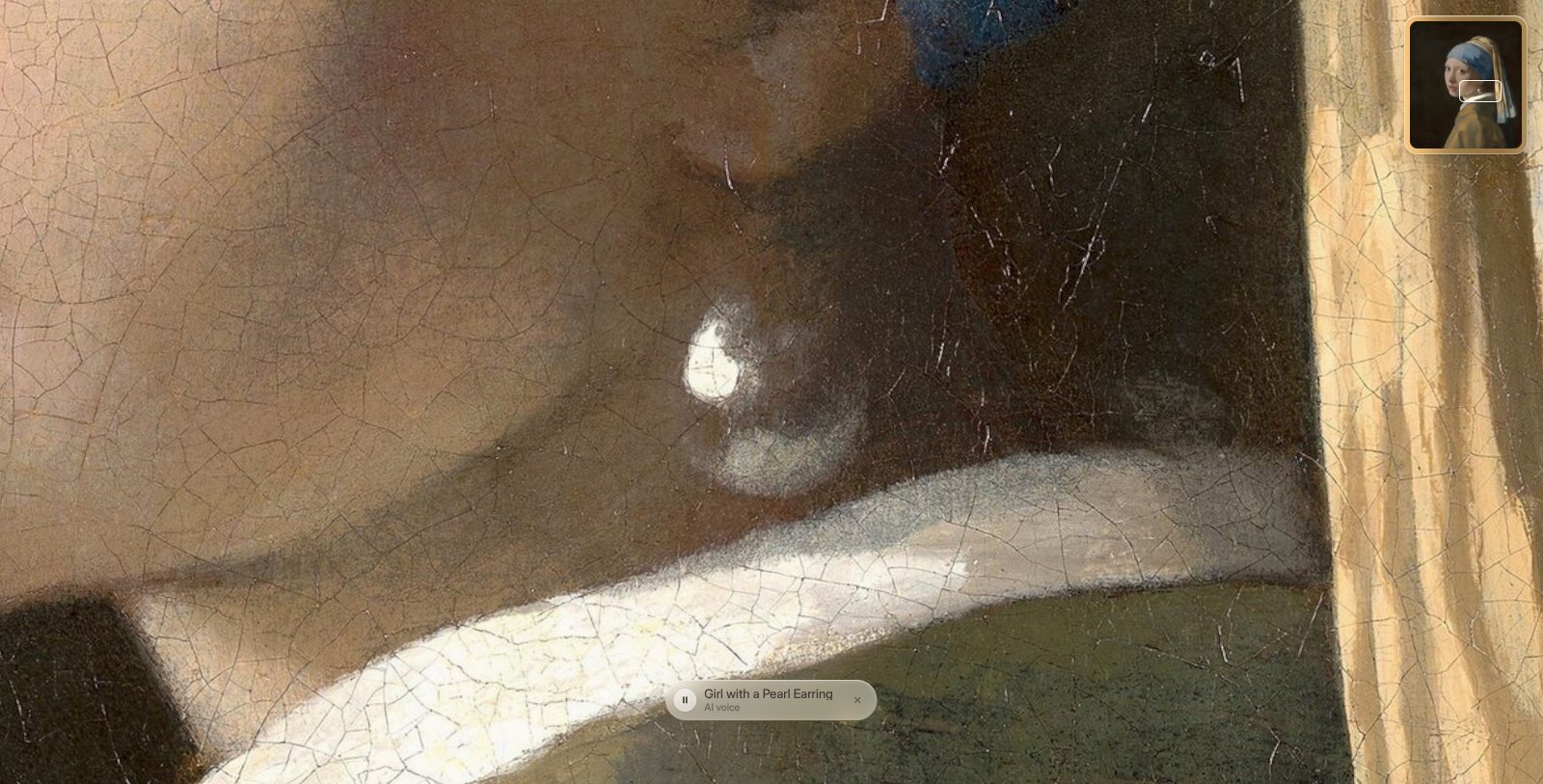
In a gallery you lean in close to see how a painting was made, and the museum should let you do the same. Pinch on a phone or a trackpad, and the view comes in toward the point between your fingers, as far as the painting’s photograph stays sharp. On a small work like The Milkmaid that’s a few centimetres of canvas at a time, close enough to see the cracks in the paint, and the largest works, which couldn’t be zoomed before, now can be. Close in, you drag to move around the surface, and a small map in the corner shows where you are in the work.
Then the narration started taking you there. When the narrator says “Look at the pearl,” the view glides in to the pearl, stays while the narrator talks about it, and glides back out to the whole painting when the story moves on, or straight on to the next detail. There are 412 of these moments across the 110 works, each tied to the words that name it and to the place on the painting where it is. Every recording is timed word by word, so the view sets off just as the narrator gets there. Pinch or drag and the view is yours again; pause the narration and it waits with the voice.
The walk
You scroll up and down, or swipe, to walk the hall. The walk leans in close to each work, then turns past the wall to the next, and every lean-in is a stop: one gesture can bring you to a work but never carry you past it.
- Tap any painting you can see and you walk to it. Pick any other work from the list of every work, or type its name, and you run down the hall to it past every work in between, faster the further it is, the view streaking at full speed.
- After the last work, a wall of black liquid glass closes the hall, carrying a living film of color, like an oil slick on night water gathering into an aurora. Walk through it and you come round to the first work.
- A small dock in the corner switches between the paintings and the colors, changes the frames, and plays music: eight recordings of Satie, Bach, Debussy, Chopin and Beethoven.
- On a desktop the pointer is a lens of liquid glass. It lifts what’s beneath it, catches the ceiling light along its rim, and swells over a painting.
- On a phone, held upright, it asks you to turn it sideways. Light haptic ticks mark settling into a lean-in and reaching full zoom.
- The museum remembers where you left off, on your device only, and opens straight away next time, even without a connection.
How it’s built
- three.js for the hall, with bays that repeat around you so it never ends
- Blender Cycles and Open Image Denoise for the baked lighting, driven by the same geometry as the scene
- Lenis for the endless scroll and GSAP for timing, the fade up from dark and the handwritten labels
- Each painting’s size from Wikidata and its photograph from Wikimedia Commons, cropped to the painted surface
- Narration recorded with ElevenLabs in Peter Baker’s voice from its voice library, and timed word by word with Whisper
- Vite, deployed on Vercel, with a service worker that keeps the museum on your device
Walk it at the-color-museum.vercel.app.